Running out of storage space on your Nintendo Switch 2 can become frustrating, especially if you regularly download digital games, updates, and additional content.
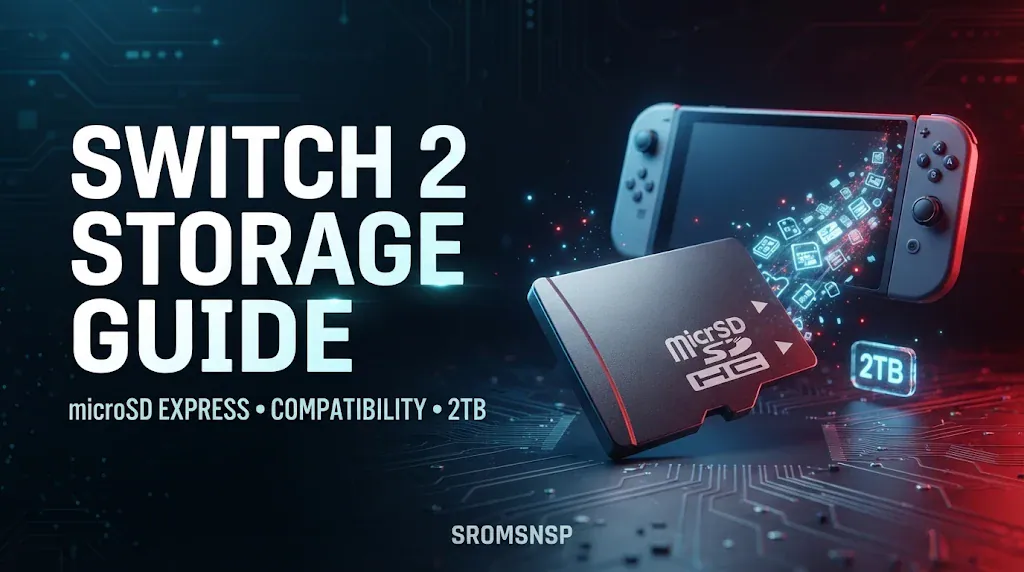
If you are planning to expand your console’s storage, there is one important thing you should know: Nintendo Switch 2 does not support ordinary microSD cards for game storage. It requires a microSD Express card.
This is different from the original Nintendo Switch, which supports standard microSD, microSDHC, and microSDXC cards.
That means your old memory card may not work for storing or loading games on the newer console.
In this guide, we explain which memory cards are compatible with Nintendo Switch 2, how much storage you can add, whether you can reuse an old Switch SD card, where game saves are stored, and how to choose the right capacity.
Does Nintendo Switch 2 Support microSD Cards?
Yes, Nintendo Switch 2 supports expandable storage, but it requires a specific type of memory card called microSD Express.
Unlike ordinary microSD cards, microSD Express cards use a faster interface designed to provide higher data-transfer performance.
Nintendo selected this storage standard for Switch 2 to support the system’s requirements for accessing game data.
Here is a quick compatibility overview:
| Memory Card Type | Nintendo Switch 2 |
|---|---|
| Standard microSD | Not supported for game storage |
| microSDHC | Not supported for game storage |
| microSDXC | Not supported for game storage |
| microSD Express | Supported |
| microSD Express up to 2TB | Supported |
Important: An ordinary microSDXC card does not become compatible simply because it has a large capacity or a high advertised speed. It must specifically meet the microSD Express standard.
What Is a microSD Express Card?
A microSD Express card is a newer type of memory card designed to offer significantly faster data-transfer performance than traditional microSD cards.
It uses a different interface from standard microSD storage and is intended for devices that need faster access to large amounts of data.
For Nintendo Switch 2 owners, the main difference is compatibility.
An ordinary microSD card may work perfectly in the original Nintendo Switch but cannot be used to store or load digital games on the Switch 2.
How to Identify a microSD Express Card
Before purchasing a memory card, check its packaging and product specifications.
Look for:
- The words microSD Express.
- The microSD EX identification symbol.
- Explicit confirmation that the card meets the microSD Express standard.
- A supported capacity of up to 2TB.
Do not rely only on the brand name, storage capacity, or a high-speed rating.
A regular 512GB microSDXC card and a 512GB microSD Express card are different products.
Can You Use an Old Nintendo Switch SD Card on Switch 2?
This is one of the most common questions among people upgrading from the original Nintendo Switch.
Unfortunately, ordinary microSD cards previously used with the original Switch cannot be used to store or load digital games and save data on the Nintendo Switch 2.
However, there is one limited exception.
You can insert an old Nintendo Switch microSD card to import screenshots and recorded videos into the Switch 2 system memory.
Here is the difference:
| Feature | Old Standard Switch microSD Card |
|---|---|
| Load digital games | No |
| Save downloadable games | No |
| Store game save data | No |
| Import screenshots | Yes |
| Import recorded videos | Yes |
If your old card contains digital games, you should use Nintendo’s supported account and data-transfer methods rather than expecting the card to work as additional Switch 2 storage.
What Is the Maximum microSD Express Capacity for Switch 2?
Nintendo Switch 2 supports microSD Express cards with capacities of up to 2TB.
This gives users considerably more room for downloadable software, updates, and downloadable content.
Common capacities you may encounter include:
| Capacity | Suitable For |
|---|---|
| 128GB | Smaller digital game collections |
| 256GB | Casual digital gaming |
| 512GB | Medium-sized game libraries |
| 1TB | Larger digital collections |
| 2TB | Extensive game libraries |
These are general storage-planning suggestions, not official Nintendo recommendations.
The actual amount of free space available will be lower than the advertised capacity because of formatting and storage-system requirements.
Before choosing a card, consider how many digital games you own and how much additional content you expect to download.
What Can You Store on a Nintendo Switch 2 microSD Express Card?
A compatible microSD Express card can store several types of data.
According to Nintendo’s support documentation, supported storage includes:
- Downloadable software.
- Software update data.
- Downloadable content (DLC).
Screenshots and captured gameplay videos can also be moved between the system memory and the memory card.
However, there is an important limitation.
Nintendo Switch 2 game save data is stored in the console’s system memory and cannot be copied or saved to a microSD Express card.
This means buying a larger memory card does not give you a separate place to manually back up your game progress.
If you want to protect your progress, check Nintendo’s supported save-data transfer and cloud-save options.
Are Game Save Files Stored on the microSD Express Card?
No. Nintendo Switch 2 stores game save data in the console’s internal system memory.
The microSD Express card is primarily used for downloadable software, updates, and DLC.
Here is a simplified breakdown:
| Data Type | Storage Location |
|---|---|
| Downloaded games | System memory or microSD Express |
| Game updates | System memory or microSD Express |
| Downloadable content | System memory or microSD Express |
| Game save data | System memory |
| Screenshots | System memory or microSD Express |
| Recorded videos | System memory or microSD Express |
This distinction is important because some users assume that moving their games to a memory card also moves their save files.
It does not.
How to Choose the Right microSD Express Card for Nintendo Switch 2
Choosing the right card depends on your storage requirements and budget.
Here are some important factors to consider before purchasing one.
1. Check microSD Express Compatibility
This is the most important requirement.
Make sure the card specifically supports microSD Express. A traditional microSDXC card is not a suitable replacement.
2. Choose the Right Storage Capacity
Think about how many games you want to keep downloaded at the same time.
If you mostly play a few games, a smaller card may be enough.
If you regularly install large digital titles and their updates, consider a larger capacity.
3. Purchase From a Reliable Seller
Memory cards are frequently counterfeited.
Buy from reputable retailers and check the packaging, specifications, and seller reputation.
Avoid unusually cheap offers that seem too good to be true.
4. Check the Manufacturer’s Specifications
Confirm that the product meets the microSD Express standard and supports a capacity of up to 2TB.
Do not confuse ordinary high-speed microSD cards with Express models.
5. Consider Your Future Storage Needs
If you expect your digital library to grow, choosing a larger card initially may be more convenient than upgrading later.
Nintendo recommends using a single microSD Express card. If you eventually replace it with a larger card, you can copy the data to the new card using an appropriate transfer process.
How to Install a microSD Express Card in Nintendo Switch 2
Once you have purchased a compatible memory card, follow these general steps:
- Turn off your Nintendo Switch 2 before handling the memory card.
- Locate the console’s microSD Express card slot.
- Open the card-slot cover.
- Insert the microSD Express card in the correct orientation.
- Close the cover.
- Turn on the console.
- Follow any on-screen instructions if a setup or system update is required.
Nintendo notes that an internet system update is required the first time a microSD Express card is used.
After installation, the console can use the card for supported downloadable software and other compatible data.
Always follow the console’s on-screen instructions and Nintendo’s official setup guidance.
Can You Use One microSD Express Card on Multiple Switch 2 Consoles?
A memory card should not be treated as a simple way to share an entire digital game library between different consoles.
Digital purchases are associated with Nintendo Accounts, and game access depends on Nintendo’s licensing and console rules.
Even if a card physically fits into another compatible console, this does not automatically transfer ownership, game licenses, or save data.
For moving games and account information between consoles, use Nintendo’s official transfer instructions.
What Should You Do If Your microSD Express Card Is Not Recognized?
If your Nintendo Switch 2 does not recognize a memory card, try the following checks.
1. Confirm the Card Type
Make sure the card is actually microSD Express.
A standard microSDXC card will not work for game storage on the Switch 2.
2. Check the Insertion
Turn off the console and confirm that the card is inserted correctly.
Check the card and slot for visible damage or debris.
3. Install the Required System Update
Nintendo requires an internet system update the first time a microSD Express card is used.
Connect your console to the internet and follow the system update instructions if prompted.
4. Check the Card’s Capacity
Make sure the card does not exceed the supported 2TB capacity.
5. Check for Card Damage
If the card is still not recognized, inspect it for physical damage and consult the card manufacturer’s support information.
6. Consult Nintendo Support
If the problem continues, use Nintendo’s official troubleshooting documentation:
Avoid formatting or erasing a card containing important data until you understand what will be lost.
Nintendo Switch vs Nintendo Switch 2 Storage Compatibility
The storage requirements are different between the two consoles.
| Feature | Original Nintendo Switch | Nintendo Switch 2 |
|---|---|---|
| Standard microSD | Supported | Not supported for game storage |
| microSDHC | Supported | Not supported for game storage |
| microSDXC | Supported | Not supported for game storage |
| microSD Express | Supported | Required |
| Maximum supported capacity | Up to 2TB | Up to 2TB |
| Downloadable game storage | microSD supported | microSD Express supported |
| Game save data | System memory | System memory |
The key difference is that Switch 2 requires the Express standard, while the original Switch supports traditional microSD cards.
Frequently Asked Questions
1. Does Nintendo Switch 2 support regular microSD cards?
No. Nintendo Switch 2 requires microSD Express cards for storing downloadable games and other supported data. Standard microSD cards cannot be used for game storage.
2. Can I use my old Switch SD card on Switch 2?
You can insert an old card to import compatible screenshots and videos, but you cannot use a standard Switch microSD card to save or load digital games or save data on Switch 2.
3. What is the maximum SD card size for Nintendo Switch 2?
Nintendo Switch 2 supports microSD Express cards with capacities up to 2TB.
4. Does Nintendo Switch 2 come with a memory card?
No. A microSD Express card is sold separately.
5. Can I store Switch 2 game saves on a microSD Express card?
No. Game save data is stored in the console’s system memory and cannot be copied or saved to a microSD Express card.
6. Can I use a microSD Express card on the original Nintendo Switch?
Yes. Nintendo confirms that microSD Express cards can also be used with the original Switch, although their data-transfer speeds operate at the original console’s microSD performance level.
7. Do I need to format a new microSD Express card?
Follow the console’s on-screen instructions when installing a new card. If the system requests setup or formatting, follow the official instructions and make sure the card contains no data you need to keep.
8. Why is my old 512GB microSD card not working on Switch 2?
It may be a standard microSDXC card rather than a microSD Express card. Storage capacity does not determine compatibility. Switch 2 requires the Express standard.
9. Can I move games from system memory to a microSD Express card?
Supported downloadable software and other eligible data can be stored on the card. Use the console’s data-management settings and follow Nintendo’s instructions.
10. Can I use multiple microSD Express cards?
Nintendo recommends using a single microSD Express card. If you replace it with a larger card, copy your data to the new card. Software stored across multiple cards cannot simply be combined later into one card.
Final Thoughts
Expanding your Nintendo Switch 2 storage is straightforward once you understand its memory card requirements.
The most important thing to remember is that Nintendo Switch 2 requires microSD Express cards, not ordinary microSD or microSDXC cards, for game storage.
You can choose a compatible card with a capacity of up to 2TB, depending on your gaming library and budget.
Also remember that game save data remains in the console’s internal system memory, so a larger memory card does not replace Nintendo’s save-data backup and transfer options.
Before purchasing anything, check the product specifications carefully and make sure the card supports microSD Express.
Disclaimer: This article is an independent educational guide. Nintendo and Nintendo Switch are trademarks of Nintendo. SROMSNSP is not affiliated with or endorsed by Nintendo.