What Are ROMs in Games?
If you have ever explored retro gaming, game emulation, or Nintendo Switch gaming, you have probably come across the term ROM. You may have seen people discussing ROM files, downloading game images, or using ROMs with emulators to play games on computers and handheld devices.
But what exactly are ROMs in games, and why are they important?
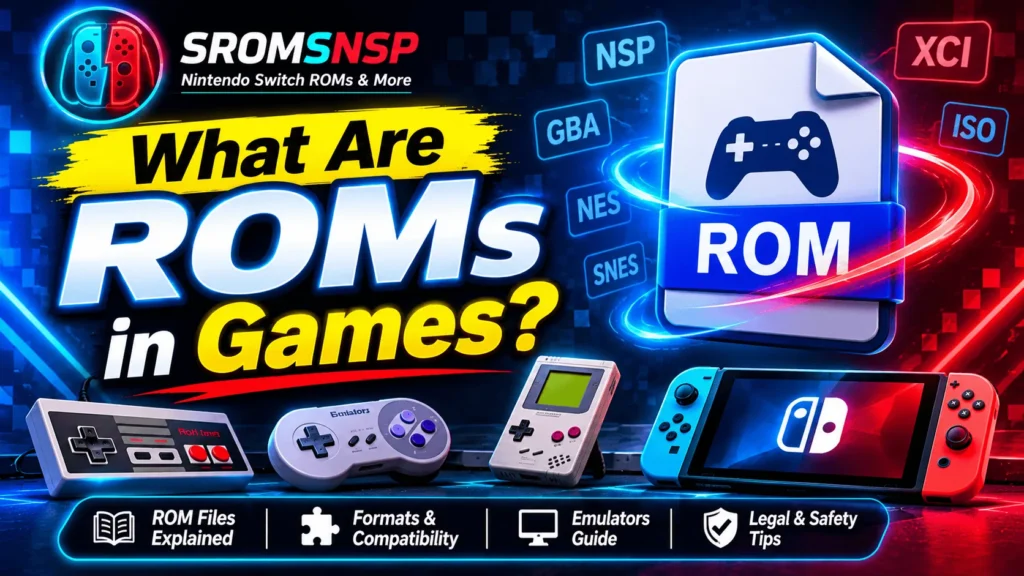
A ROM is a digital representation of video game data that was originally stored on a physical cartridge or another type of storage medium. It allows compatible software, such as an emulator, to read and run the game on supported hardware.
In simple terms, a game ROM is a digital copy of game data. However, the term is also commonly used more broadly for video game files, including files from systems that originally distributed games on discs or through digital downloads.
In this beginner-friendly guide, we will explain what ROMs mean, how they work, the difference between ROMs and emulators, common game file formats, and important legal considerations.
What Does ROM Stand for in Gaming?
ROM stands for Read-Only Memory.
Originally, Read-Only Memory referred to memory chips that stored data intended to be read rather than routinely modified. Many classic gaming cartridges contained ROM chips with the software required to run a game.
Over time, gamers began using the word ROM to describe digital copies or images of game data extracted from cartridges.
Today, the term is commonly used throughout the emulation community. It can refer to cartridge images, disc images, and other game files used with compatible emulation software.
For example, a digital image of an original Game Boy cartridge may be called a Game Boy ROM. Similarly, people sometimes use the term ROM when discussing Nintendo Switch game files, although modern Switch games use different file formats.
How Do Game ROMs Work?
A ROM file contains game data that compatible software needs to load a video game.
On an original console, the game runs using the console’s own hardware and operating system. When using an emulator, the emulator recreates the behavior of the original hardware so that compatible game software can run on a different device.
Here is a simplified explanation:
- Game data: The ROM or game image contains the game’s software and other required data.
- Emulator: The emulator recreates the behavior of the original gaming system.
- Game loading: The emulator reads the supported game file.
- Gameplay: If the file and emulator are compatible, the game can start and run.
For example, a compatible Game Boy ROM can be loaded into a Game Boy emulator on a PC. The emulator handles the system behavior, while the ROM provides the game data.
The exact process varies depending on the console, emulator, and game format.
What Is the Difference Between a ROM and an Emulator?
ROMs and emulators are closely connected, but they are not the same thing.
A ROM is the game data, while an emulator is the software that imitates the original gaming hardware.
Think of it this way: the ROM is the content you want to play, and the emulator is the program that makes it possible to run that content on another device.
| Feature | ROM | Emulator |
|---|---|---|
| Meaning | Digital game data or image | Software that imitates a gaming system |
| Main purpose | Supplies the game content | Runs compatible game software |
| Contains game data | Yes | Not necessarily |
| Runs independently | Usually needs compatible hardware or software | Needs compatible game content for gameplay |
| Example | A Game Boy game image | A Game Boy emulator for Windows |
You may also encounter BIOS and firmware files when configuring certain emulators. These are separate from both ROMs and emulators. Some systems require additional system software to reproduce their original operating environment.
Common Types of Game ROMs
Game ROMs are associated with many gaming platforms, from classic cartridge-based consoles to modern systems.
Here are some common categories:
1. Nintendo ROMs
Nintendo ROMs generally refer to digital game data associated with Nintendo gaming systems.
You may encounter files for systems such as:
- Nintendo Entertainment System (NES)
- Super Nintendo Entertainment System (SNES)
- Game Boy and Game Boy Color
- Game Boy Advance
- Nintendo DS
- Nintendo 3DS
- Nintendo Switch
The actual file formats differ between generations. Modern Nintendo Switch game files, for example, commonly use NSP and XCI formats rather than the traditional cartridge ROM formats associated with older systems.
2. PlayStation Game Images
PlayStation games were distributed on optical discs, so their digital copies are generally described as disc images rather than traditional cartridge ROMs.
Depending on the console and software, common extensions include:
- ISO
- BIN
- CUE
- CHD
- PBP
These formats are not interchangeable in every emulator. Always check the documentation for the software you are using.
3. Sega Game ROMs
Sega’s classic cartridge-based systems also have game files commonly described as ROMs.
Examples include games originally released for:
- Sega Genesis / Mega Drive
- Sega Master System
- Sega Game Gear
- Sega 32X
Depending on the system and game, you may encounter formats such as BIN, GEN, and SMS.
4. Arcade Game ROMs
Arcade game data is also commonly discussed in the ROM community.
Arcade emulation can be more complicated because some systems require multiple related files, specific ROM sets, or additional configuration. A file that works with one emulator version may not work with another.
Common Game ROM File Formats
Different gaming systems use different file formats. The extension often helps identify the type of game data, but it does not guarantee compatibility or file integrity.
Here are some formats you may encounter:
| File Extension | Common Association | Description |
|---|---|---|
.NES |
NES | Nintendo Entertainment System game image |
.SFC |
SNES | Super Nintendo game image |
.SMC |
SNES | Another commonly encountered SNES format |
.GB |
Game Boy | Game Boy game image |
.GBC |
Game Boy Color | Game Boy Color game image |
.GBA |
Game Boy Advance | Game Boy Advance game image |
.ISO |
Disc-based systems | Optical disc image |
.BIN |
Various systems | Binary game data, often used with disc images |
.CHD |
Disc-based systems | Compressed disc image format |
.NSP |
Nintendo Switch | Nintendo Switch software package format |
.XCI |
Nintendo Switch | Nintendo Switch game-card image format |
Important: File extensions describe the format or container, not whether a file is complete, safe, authentic, or legally obtained.
What Are NSP and XCI Files?
If you are interested in Nintendo Switch games, two file extensions you will frequently see are NSP and XCI.
Both are associated with Nintendo Switch software, but they represent different packaging approaches.
What Is an NSP File?
NSP stands for Nintendo Submission Package. It is a package format associated with Nintendo Switch software distribution.
An NSP file may contain different types of Switch content, depending on the package. It is not limited to base games; updates and downloadable content may also be distributed in package form.
What Is an XCI File?
XCI is commonly associated with images of Nintendo Switch game cards.
It represents game-card content in a digital format and is often discussed in Nintendo Switch emulation communities.
NSP vs XCI: What Is the Difference?
| Feature | NSP | XCI |
|---|---|---|
| Full name | Nintendo Submission Package | Game-card image format |
| Main association | Software packages | Game-card images |
| Typical use | Game, update, and DLC packages | Game-card content images |
| Nintendo Switch related | Yes | Yes |
The two formats are not simply interchangeable file extensions. Their structure and intended use differ.
For a deeper explanation, read our guide: NSP vs XCI: What’s the Difference?
How Are ROMs Used With Emulators?
One of the most common reasons people learn about ROMs is game emulation.
An emulator allows compatible software designed for one gaming system to run on another platform. For example, an emulator may allow a classic console game to run on a Windows PC or a compatible handheld device.
The general process involves:
- Choosing an emulator that supports the original gaming system.
- Checking the emulator’s hardware and software requirements.
- Preparing compatible game files from a lawful source.
- Configuring the emulator according to its documentation.
- Loading the game file and checking compatibility.
Some emulators also require BIOS files, firmware, system keys, or other system-specific components. Requirements vary, so consult the emulator’s official documentation.
If you are new to emulation, you can also read our guide to the best Nintendo Switch emulators for PC and our beginner’s Nintendo Switch emulator setup guide.
Do ROMs Work on Every Device?
No. A ROM does not automatically work on every computer, console, or handheld device.
Compatibility depends on several factors:
- Gaming system: The file must belong to a system supported by the emulator.
- File format: The emulator must support the specific format.
- Emulator version: Some versions support different games and file types.
- Hardware: Your PC or handheld must meet the emulator’s requirements.
- Additional files: Certain systems may require firmware or BIOS files.
- Game compatibility: Some games may have glitches, performance problems, or may not boot at all.
For example, a Game Boy Advance game file cannot normally be loaded into a Nintendo Switch emulator. You need software designed for the system the game was originally made for.
Are ROMs Legal?
The legality of ROM files is one of the most misunderstood topics in gaming.
A ROM is simply a type of digital game data, but copyright law can restrict how copyrighted games are copied, distributed, downloaded, and used.
It is important to understand that:
- Downloading a copyrighted game from an unauthorized source may infringe copyright.
- Uploading or sharing copyrighted game files without permission can infringe copyright.
- Owning an original physical game does not automatically give you permission to download an unauthorized copy from the internet.
- Making a personal backup or extracting game data may be subject to different rules depending on your country and the method used.
- Public-domain games, homebrew games, and games distributed with the copyright owner’s permission may be available legally.
For example, Nintendo states that uploading and downloading unauthorized copies of its games is illegal. Its official guidance also explains that owning an authentic game does not automatically make downloading an unauthorized internet copy permissible in every jurisdiction.
The rules can differ between countries. Always check the copyright laws that apply where you live and use game files obtained through authorized means.
Note: This article provides general educational information, not legal advice.
Are ROMs Safe to Use?
ROM files are not automatically safe just because they have a familiar extension.
Files obtained from unknown websites or untrusted sources may be modified, incomplete, misleadingly named, or bundled with unwanted software.
Here are some general precautions:
- Use reputable sources that have permission to distribute the game.
- Avoid suspicious download buttons, fake update prompts, and misleading advertisements.
- Do not run unknown executable files simply because they are included in a game archive.
- Scan downloaded files with reputable security software.
- Check the emulator’s official documentation for supported formats.
- Keep your operating system and security software updated.
Remember that a file extension alone cannot prove that a download is safe.
What Is the Difference Between a ROM, ISO, BIOS, and Firmware?
These terms often appear together in emulation guides, but they refer to different things.
| Term | Meaning |
|---|---|
| ROM | A digital representation of game data, commonly used for cartridge images and more broadly for game files |
| ISO | A type of disc image |
| BIOS | Basic system software used to initialize or support certain hardware systems |
| Firmware | Software embedded in or associated with a device that controls system functions |
| Emulator | Software that imitates another gaming system |
Not every emulator needs a BIOS or separate firmware file. Requirements depend on the system being emulated.
Understanding these terms makes it easier to follow emulator setup instructions and troubleshoot problems.
Frequently Asked Questions About Game ROMs
1. What are ROMs in games?
ROMs are digital representations of video game data originally stored on cartridges or other media. In gaming communities, the term is also commonly used for game files that can be loaded by compatible emulators.
2. What does ROM stand for?
ROM stands for Read-Only Memory. The term originally described memory used to store data that was generally read rather than routinely modified.
3. Are ROMs the same as games?
A ROM contains game data, but the word ROM specifically describes a digital representation or file. The original game may have been distributed on a cartridge, disc, or another medium.
4. Do I need an emulator to play ROMs?
If you want to run a game designed for a different gaming system, you generally need compatible emulation software. The exact requirements depend on the game and platform.
5. What is the difference between a ROM and an ISO?
ROM is a broad term commonly used for digital game images, especially cartridge-based games. ISO is a specific type of optical disc image. Both can represent game data, but they are not the same format.
6. What are NSP and XCI ROMs?
NSP and XCI are Nintendo Switch-related game file formats. NSP is associated with software packages, while XCI is associated with game-card images.
7. Can I play ROMs on a Windows PC?
Yes, compatible game files can run on a Windows PC through suitable emulation software. You need an emulator that supports the original gaming system, compatible files, and sufficient hardware.
8. Are all ROMs free?
No. Some games are legally distributed for free, such as certain homebrew and public-domain titles. Commercial game files remain subject to copyright restrictions unless the rights holder authorizes their distribution.
9. Can I use the same ROM on different emulators?
Sometimes. Different emulators may support the same game format, but compatibility can vary. A file that works with one emulator may require different settings or may not work with another.
10. Is downloading ROMs legal?
It depends on the game, the source, the copyright status, your country, and the circumstances of copying or downloading. Unauthorized downloads of copyrighted games may violate copyright law, even if you own the original game.
Final Thoughts
ROMs are an important part of classic gaming, game preservation, and emulation. They provide digital representations of game data that compatible software can read and run on supported devices.
The most important thing for beginners is to understand the difference between ROM files, emulators, BIOS files, and firmware. Each has a different purpose, and compatibility depends on the original gaming system and the software being used.
If you are exploring Nintendo Switch emulation, learning about NSP and XCI formats is a useful next step. Always use authorized game sources, check emulator compatibility, and follow the laws that apply in your country.
Disclaimer: SROMSNSP provides educational information about gaming formats, emulation, and software compatibility. We do not encourage copyright infringement, unauthorized distribution, or downloading copyrighted games without permission. All trademarks and game titles belong to their respective owners.