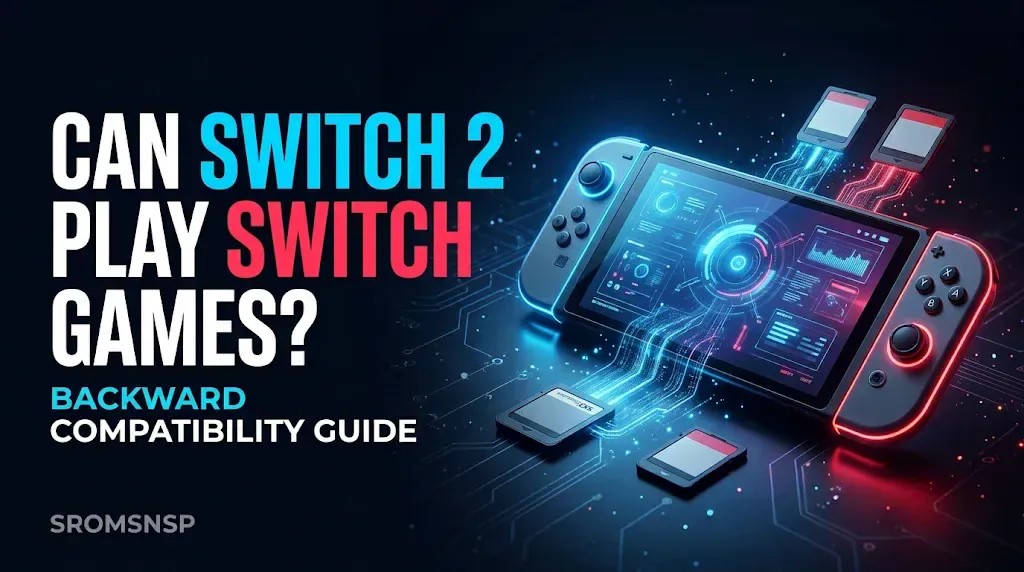
One of the biggest questions Nintendo fans have when considering the Nintendo Switch 2 is whether they can continue playing their existing Nintendo Switch games.
If you already own a collection of physical game cards or digital games, you probably don’t want to purchase everything again just to enjoy your favorite titles on a newer console.
The good news is that Nintendo Switch 2 supports compatible physical and digital games originally released for Nintendo Switch. This means you can bring many of your existing games to the newer system. However, backward compatibility is not universal, and some games may have limitations or may not work as expected.
In this guide, we explain how Nintendo Switch 2 backward compatibility works, which types of games you can use, how to transfer your digital purchases and save data, and what to check before upgrading.
Does Nintendo Switch 2 Play Original Nintendo Switch Games?
Yes. Nintendo Switch 2 can play compatible physical and digital Nintendo Switch games.
This backward compatibility feature allows existing Switch owners to continue enjoying supported games without starting their entire gaming collection from scratch.
However, there is an important distinction: compatibility does not mean every original Switch game is guaranteed to work perfectly.
Nintendo explains that some titles may not be supported or may have partial functionality issues because Switch 2 uses different hardware. Compatibility information can change as Nintendo continues testing and releasing updates.
Before purchasing a game or upgrading your console, check Nintendo’s official compatibility information for the specific title.
Can You Use Physical Nintendo Switch Game Cards on Switch 2?
Yes. Compatible physical Nintendo Switch game cards can be inserted into the Nintendo Switch 2 game-card slot.
The basic process is straightforward:
- Turn on your Nintendo Switch 2.
- Insert a compatible original Nintendo Switch game card.
- Open the HOME Menu.
- Select the game’s icon.
- Follow any on-screen instructions, including available software updates.
Once the game is recognized and supported, you can launch it and start playing.
Important: A physical game card does not guarantee full compatibility. Some titles may have issues, so check the official compatibility information before relying on a particular game.
Can You Play Digital Nintendo Switch Games on Switch 2?
Yes. Compatible digital Nintendo Switch games can also be played on Nintendo Switch 2.
Your digital purchases are associated with your Nintendo Account rather than being permanently tied to only one physical console.
To access your purchased games:
- Turn on your Nintendo Switch 2.
- Link the Nintendo Account associated with your original purchases.
- Open Nintendo eShop.
- Find your previously purchased games.
- Download compatible titles to your new console.
- Launch the game after installation.
Your available purchases and download options depend on your Nintendo Account and the game’s compatibility.
You do not need to purchase a compatible digital game again simply because you are moving to a new Switch 2 console.
Nintendo Switch 2 Game Compatibility: What Works?
Nintendo Switch 2 supports many original Switch games, but compatibility varies by title.
Here is a simple overview:
| Game Type | Switch 2 Compatibility |
|---|---|
| Compatible physical Switch games | Supported |
| Compatible digital Switch games | Supported |
| Nintendo Switch 2 exclusive games | Designed for Switch 2 |
| Some original Switch games | May have limitations |
| Unsupported original Switch games | May not run |
| Games requiring specific accessories | May need additional checks |
The most important thing is to check individual games rather than assuming every title will work.
How to Check If a Nintendo Switch Game Works on Switch 2
Before buying a game or moving your collection, use Nintendo’s official compatibility information.
Follow these steps:
- Visit Nintendo’s official Nintendo Switch 2 game compatibility page.
- Search for the title you want to play.
- Review the compatibility information.
- Check whether Nintendo lists any known limitations.
- Look for additional updates or support information if the game has problems.
What Happens to Your Nintendo Switch Save Data?
Your saved game progress is separate from the game itself.
For example, downloading a previously purchased game to your new console does not automatically mean that every save file has moved with it.
If you want to continue a game from where you stopped on your original Switch, you should check the available save-data transfer options.
Nintendo provides ways to move user information and save data between consoles.
Depending on the game and your account setup, you may be able to use:
- System Transfer
- Nearby Save Data Transfer
- Save Data Cloud through Nintendo Switch Online for supported games
How to Transfer Your Data to Nintendo Switch 2
If you are moving from an original Nintendo Switch to a new Switch 2, Nintendo provides a system transfer process.
A typical preparation checklist includes:
- Update both consoles where possible.
- Connect the consoles to a suitable internet connection.
- Make sure you can access your Nintendo Account.
- Review Nintendo’s official transfer instructions.
- Start the system transfer and follow the on-screen steps.
- Confirm that your user information and supported data have transferred.
Nintendo’s transfer process can move Nintendo Accounts, user profiles, save data, and Nintendo eShop purchases.
Before starting, read the official instructions carefully and make sure you understand which information will be moved from the original console.
What Are Virtual Game Cards on Nintendo Switch 2?
Virtual Game Cards are Nintendo’s way of managing eligible digital games and downloadable content across supported consoles.
Instead of thinking of a digital purchase as permanently installed on one console, you can load or eject its virtual game card between linked systems.
This is particularly useful if you own both a Nintendo Switch and a Nintendo Switch 2.
Some important points:
- Eligible digital games and DLC purchased through Nintendo eShop are managed as virtual game cards.
- A virtual game card can be loaded onto a supported console.
- Once loaded, eligible software can be played without a continuous internet connection.
- Virtual game cards can be shared with eligible members of a Nintendo Account family group under Nintendo’s rules.
- Your game save data is separate and may require its own transfer or cloud backup.
Virtual game cards are not the same thing as physical game cartridges or downloaded ROM files.
Do Nintendo Switch 2 Games Work on the Original Switch?
No. Nintendo Switch 2 games are designed for the newer console, and original Nintendo Switch systems cannot run Nintendo Switch 2 exclusive software.
This is different from backward compatibility.
Backward compatibility allows a newer console to run supported software from an older generation. It does not mean the older console can run games designed specifically for newer hardware.
| Feature | Original Nintendo Switch | Nintendo Switch 2 |
|---|---|---|
| Original Switch games | Yes | Compatible titles |
| Switch 2 exclusive games | No | Yes |
| Original Switch game cards | Yes | Compatible cards |
| Switch 2 game cards | No | Yes |
| Switch 2 hardware features | No | Yes |
If a game has separate original Switch and Switch 2 editions, make sure you understand which version you are purchasing.
Do Nintendo Switch Controllers and Accessories Work on Switch 2?
Some original Nintendo Switch accessories are compatible with Nintendo Switch 2, but compatibility depends on the accessory and how it connects.
For example, Nintendo has provided support for certain original Joy-Con and Pro Controller accessories.
However, you should not assume that every accessory works exactly as it did on the original console.
Before purchasing additional controllers, charging accessories, or other hardware, check Nintendo’s official accessory compatibility information.
Also remember that some features may differ depending on the game and the accessory being used.
Why Might a Nintendo Switch Game Not Work Properly on Switch 2?
Although Switch 2 supports many original Switch games, compatibility problems can still occur.
Here are some possible reasons:
1. The Game Is Not Supported
Some original Switch titles may not be compatible with Switch 2.
If a game is not supported, inserting its cartridge or downloading its digital version will not necessarily make it playable.
2. The Game Has Partial Compatibility
Some games may launch but experience problems with particular features, graphics, controls, or gameplay functions.
This is why checking the official compatibility information is important.
3. The Game Needs an Update
An older game version may not include improvements or fixes relevant to the newer console.
Check whether an official software update is available.
4. The Game Uses Special Accessories
Certain titles rely on specific controllers or accessories.
If those accessories are unsupported or function differently, the gameplay experience may be affected.
5. Save Data Has Not Been Transferred
A game may launch correctly but appear to start from the beginning because the previous save data has not been transferred.
Check the game’s save-data transfer options before assuming your progress has been lost.
Nintendo Switch 2 vs Original Nintendo Switch: Is Upgrading Worth It?
Whether upgrading is worthwhile depends on your gaming habits, budget, and the titles you want to play.
If you already own many original Switch games, backward compatibility makes the upgrade more convenient because you can continue using supported titles.
Here is a general comparison:
| Feature | Original Switch | Switch 2 |
|---|---|---|
| Original Switch game library | Native platform | Supports compatible titles |
| Switch 2 exclusive games | Not supported | Supported |
| New-generation hardware | No | Yes |
| Existing Nintendo Account | Supported | Supported |
| Digital game purchases | Supported | Compatible purchases can be accessed |
| Original Switch accessories | Original compatibility | Selected accessories supported |
If you primarily play older Switch games, check their compatibility before upgrading. If you want access to newer exclusive releases and updated hardware, Switch 2 may be a more attractive option.
Can You Play Nintendo Switch Games on a PC Instead?
Nintendo Switch 2 backward compatibility and PC emulation are two different subjects.
Backward compatibility is an official console feature that allows a newer Nintendo system to run supported games from the previous generation.
Emulation, on the other hand, uses software to reproduce the behavior of a gaming system on another device, such as a Windows PC.
For users interested in learning about emulation, these guides may help:
- Best Nintendo Switch Emulators for PC
- How to Set Up a Nintendo Switch Emulator on PC
- NSP vs XCI: What’s the Difference?
Emulator compatibility depends on the emulator, game version, hardware, and other system requirements. Do not assume that a game supported on Switch 2 will also work properly in a PC emulator.
Always use game files and system software obtained through authorized means.
Frequently Asked Questions
1. Can Nintendo Switch 2 play all original Switch games?
No. Nintendo Switch 2 supports compatible physical and digital Switch games, but some titles may have limitations or may not be supported. Check Nintendo’s official compatibility information for individual games.
2. Can I use my old Nintendo Switch cartridges on Switch 2?
Yes, compatible original Nintendo Switch game cards can be inserted into Nintendo Switch 2. However, not every game is guaranteed to work.
3. Do I have to buy my digital Switch games again?
No. Compatible digital purchases associated with your Nintendo Account can be accessed on Switch 2 when you link the account and download the games.
4. Will my Nintendo Switch save data transfer automatically?
Not necessarily. You may need to use Nintendo’s system transfer, nearby save-data transfer, or cloud backup options for supported games.
5. Can I use my original Joy-Con controllers on Switch 2?
Some original Joy-Con and other Nintendo Switch accessories are supported, but compatibility and available features vary. Check Nintendo’s official accessory information.
6. Can the original Nintendo Switch play Switch 2 games?
No. Nintendo Switch 2 exclusive games are designed for the newer hardware and are not playable on the original Nintendo Switch.
7. Can I play digital Switch games offline on Switch 2?
Eligible digital games loaded as virtual game cards can be played offline. Other license arrangements may require an internet connection. Check Nintendo’s virtual game card and online license instructions.
8. Will my Nintendo Switch Online membership work on Switch 2?
Yes. Nintendo Switch Online services and benefits can be used on Nintendo Switch 2 with the linked Nintendo Account, although certain features may be exclusive to particular systems.
9. Are Nintendo Switch 2 games the same as original Switch games?
Not always. Some games have separate versions or editions for the two systems. Check the product listing to confirm which version you are purchasing.
10. Where can I check the latest Switch 2 compatibility list?
Use Nintendo’s official compatibility page. It provides information about supported original Switch games and known compatibility limitations.
Eglantine Switch 2 Emulator for PC – Requirements & Setup 2027
Final Thoughts
Nintendo Switch 2 backward compatibility is an important feature for anyone upgrading from the original Nintendo Switch.
You can continue playing many compatible physical and digital Switch games, access eligible purchases through your Nintendo Account, and move supported user information and save data to your new console.
However, not every original game is guaranteed to work perfectly. Some titles may have limitations, and others may not be supported.
The best approach is to check Nintendo’s official compatibility information before purchasing a game or upgrading your console. This helps you avoid surprises and makes the transition to Switch 2 much easier.
Disclaimer: This article is intended for educational and informational purposes. Nintendo, Nintendo Switch, and Nintendo Switch 2 are trademarks of Nintendo. SROMSNSP is an independent gaming information website and is not affiliated with or endorsed by Nintendo.