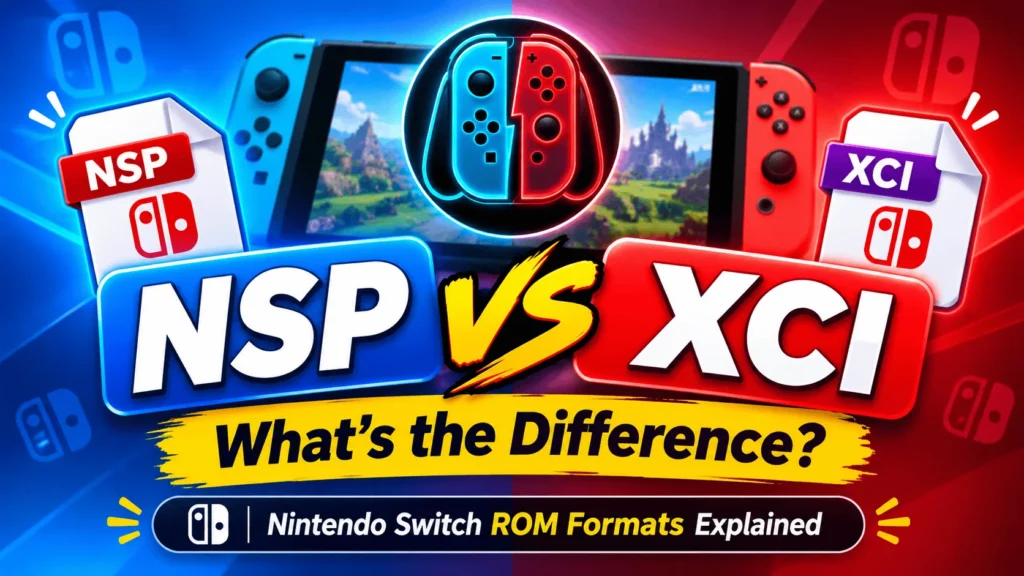
Nintendo Switch games are commonly associated with two file formats: NSP and XCI. If you have ever downloaded, backed up, or explored Nintendo Switch game files, you have probably encountered these two formats. Although both can contain Nintendo Switch game data, they are not exactly the same.
Understanding the difference between NSP and XCI can help you choose the right file format for your needs, understand game compatibility, and learn how Nintendo Switch games are packaged and distributed.
In this guide, we will explain what NSP and XCI files are, how they work, their main differences, and which format may be more suitable for different situations. We will also cover file sizes, updates, DLC, emulator compatibility, and frequently asked questions.
What Is an NSP File?
NSP stands for Nintendo Submission Package. It is a package format used by the Nintendo Switch platform to distribute and install digital content.
NSP files are commonly associated with digital Nintendo Switch games, game updates, and downloadable content (DLC). They package the necessary game data and metadata into a format that the Nintendo Switch software ecosystem can process.
An NSP file may contain different types of content, including:
- Base games: The main game files.
- Game updates: Additional files that update an existing game.
- DLC: Downloadable content that adds extra features, characters, maps, or other content.
- Digital applications: Other supported Nintendo Switch software.
One important thing to understand is that not every NSP file contains a complete game. Some NSP files contain only an update or DLC, meaning they may require the corresponding base game to function properly.
Main Features of NSP Files
- Used for packaging Nintendo Switch digital content.
- Can contain base games, updates, or DLC.
- Commonly encountered in digital game distribution.
- Supported by compatible Nintendo Switch software and certain emulation tools.
- Content can be organized into separate packages.
NSP is particularly useful to understand when dealing with digitally distributed Nintendo Switch content and separately packaged game updates.
What Is an XCI File?
XCI is a Nintendo Switch game cartridge image format. It represents the contents of a physical Nintendo Switch game card in a digital file.
In simple terms, an XCI file is associated with the cartridge-based distribution of Nintendo Switch games. It is commonly encountered when discussing game cartridge backups and game preservation.
Unlike an NSP package, which is designed around packaged digital content, an XCI file represents a game card image.
An XCI file typically contains the game data associated with a physical cartridge. Depending on the game and its available content, additional updates and DLC may need to be obtained separately.
Main Features of XCI Files
- Represents a Nintendo Switch game cartridge image.
- Commonly associated with physical game cards.
- Used in discussions of cartridge backups and preservation.
- Supported by compatible Nintendo Switch emulation software.
- May require separate update and DLC content.
XCI is useful to understand when learning about physical Nintendo Switch game distribution and digital representations of game cartridges.
NSP vs XCI: What’s the Difference?
Now that we understand both formats, let’s compare them side by side.
Although NSP and XCI files can both represent Nintendo Switch game content, their packaging methods and original purposes are different.
| Feature | NSP | XCI |
|---|---|---|
| Full form | Nintendo Submission Package | Cartridge image format |
| Main association | Digital content packages | Physical game cartridges |
| Content type | Games, updates, DLC | Game card contents |
| Distribution | Digital package format | Cartridge-based format |
| Updates | Can be packaged separately | Often handled separately |
| DLC | Can be packaged separately | Often handled separately |
| Emulator support | Supported by compatible emulators | Supported by compatible emulators |
| File extension | .nsp | .xci |
| Original purpose | Software content packaging | Game card representation |
The main difference: NSP is a package format used for distributing Nintendo Switch software content, while XCI represents the contents of a physical Nintendo Switch game cartridge.
Neither format is universally better. The right choice depends on the content, compatibility, and intended use.
NSP vs XCI: Which Format Has a Smaller File Size?
File size is one of the most common questions people ask when comparing NSP and XCI files.
There is no universal rule that NSP files are always smaller than XCI files or vice versa. The actual size depends on several factors:
- The size of the original game.
- The amount of game data included.
- Whether the file contains additional content.
- The packaging and compression method.
- Whether updates or DLC are included.
For example, an XCI cartridge image may contain unused space or additional cartridge-related data, while an NSP package may contain only the relevant packaged software content.
However, this does not mean every NSP file will be smaller than its corresponding XCI file.
Can NSP and XCI Files Be Compressed?
Yes. Nintendo Switch content can also be encountered in compressed formats.
Two commonly discussed extensions are:
- NSZ: A compressed form of NSP content.
- XCZ: A compressed form of XCI content.
These formats are designed to reduce storage requirements while retaining the underlying content.
The actual compression ratio varies depending on the game and its data. Some games may achieve substantial reductions, while others may not compress as efficiently.
NSP vs XCI: Which Format Is Better for Emulators?
Both NSP and XCI formats are supported by certain Nintendo Switch emulation tools, but compatibility depends on the emulator, its version, and the specific game.
Some emulators provide workflows for installing NSP packages, while others can load compatible XCI game images directly.
Here are a few things to consider:
NSP files:
- Useful when working with separately packaged digital content.
- Can represent base games, updates, or DLC.
- May require installation or registration within the emulator.
XCI files:
- Useful when working with cartridge-based game images.
- Can represent the contents of a physical game card.
- May be loaded directly by compatible emulation software.
Keep in mind that emulator compatibility is not determined by the file extension alone. The game itself, emulator version, system configuration, and required firmware or cryptographic keys can all affect whether a title works correctly.
Does NSP or XCI Provide Better Game Performance?
A common misconception is that XCI files provide better performance than NSP files.
In general, the file format itself does not determine the game’s frame rate, graphics quality, or overall performance.
When a compatible emulator loads the same game content correctly, performance is primarily influenced by:
- Your computer’s processor (CPU).
- Graphics card (GPU).
- Available RAM.
- Emulator optimization.
- Graphics API settings.
- Game compatibility.
- Driver versions.
For example, a powerful PC may run a compatible Nintendo Switch game smoothly, while a lower-end computer may experience slowdowns regardless of whether the game is represented by an NSP or XCI file.
Therefore, choosing XCI over NSP solely for better FPS is not a reliable performance optimization.
Can NSP and XCI Files Contain Game Updates and DLC?
Yes, but there are important differences.
NSP is a package format that can contain different types of Nintendo Switch content, including base games, updates, and DLC.
XCI represents a physical cartridge image. Additional digital updates and downloadable content are generally distributed separately.
Here is a simple explanation:
Base Game
The base game contains the original playable version of a title.
Game Update
An update adds improvements, fixes bugs, adjusts gameplay, or introduces additional features. It may also be required for compatibility with certain game versions.
DLC (Downloadable Content)
DLC provides additional content such as:
- New characters.
- Additional maps.
- Extra missions.
- New game modes.
- Cosmetic items.
- Expansion packs.
Not every game supports DLC, and not every update requires a separate download.
When comparing two game files, always check whether they contain the same game version and additional content before comparing their sizes.
What Are NSP, XCI, NSZ, and XCZ Files?
If you are exploring Nintendo Switch game formats, you may encounter four common extensions.
| Format | Description |
|---|---|
| NSP | Nintendo Switch software package |
| XCI | Nintendo Switch cartridge image |
| NSZ | Compressed NSP format |
| XCZ | Compressed XCI format |
The easiest way to remember these formats is:
- NSP is associated with packaged digital content.
- XCI is associated with physical cartridge images.
- NSZ is a compressed NSP format.
- XCZ is a compressed XCI format.
Understanding these extensions makes it easier to identify different Nintendo Switch game files.
Frequently Asked Questions About NSP vs XCI
1. Is NSP better than XCI?
Neither format is universally better. NSP is associated with packaged digital software content, while XCI represents a physical cartridge image. Your choice depends on the content and the software you are using.
2. Is XCI better than NSP for Nintendo Switch emulators?
Not necessarily. Compatible emulators can support both formats. Compatibility depends on the emulator, game, and required system components rather than simply choosing one extension.
3. Are NSP and XCI files the same?
No. Both can contain Nintendo Switch game data, but they use different packaging formats. NSP is a software package, whereas XCI represents a game cartridge image.
4. Can NSP files contain updates and DLC?
Yes. NSP packages can contain base games, updates, or downloadable content. However, these are not necessarily included together in one file.
5. Are XCI files always larger than NSP files?
No. File size depends on the game, included content, packaging, and compression. There is no fixed size difference between the two formats.
6. What is the difference between NSP and NSZ?
NSP is the standard package format, while NSZ is a compressed form of NSP content. NSZ is primarily used to reduce storage requirements.
7. What is the difference between XCI and XCZ?
XCI represents a cartridge image, while XCZ is its compressed counterpart. XCZ can reduce the amount of storage needed for compatible content.
8. Can I convert NSP to XCI by renaming the file?
No. Changing the filename extension does not change the internal file format. Actual conversion requires compatible tools and must preserve the underlying content structure.
9. Do NSP and XCI files affect game graphics?
No. The file extension does not inherently improve resolution, graphics quality, or frame rate. These factors depend on the game, hardware, emulator, and settings.
10. Do I need updates and DLC separately?
It depends on the game and the content already included in your package. Some files contain only the base game, while updates and DLC may be distributed separately.
Final Verdict: NSP vs XCI – Which One Should You Choose?
NSP and XCI are two important formats in the Nintendo Switch ecosystem. Although they serve different purposes, both are useful to understand when learning about Nintendo Switch games, digital content, cartridge images, and emulation.
Choose NSP when you are interested in understanding packaged digital content, including games, updates, and DLC.
Choose XCI when you are interested in physical game cartridge images and cartridge-based game preservation.
For emulator users, neither format automatically provides better performance or compatibility. Always check the requirements of your chosen emulator and the compatibility of the specific game.
Ultimately, understanding the difference between NSP and XCI will help you make better decisions when exploring Nintendo Switch game formats.
Disclaimer: Nintendo Switch game files are protected by copyright. Only create, use, or distribute game backups when you have the necessary rights and are complying with applicable laws and platform terms. This article is intended for educational and informational purposes.

2 Community Responses